The buttons don't space properly on Fancy Box and adding <p> or <br> code to the written content doesn't work. How do I get the spacing of the elements within Fancy Box to line up properly
Add this into the Custom CSS box in your Salient Theme Options panel (We write all Custom CSS in the Live Browser to ensure accuracy. If you cannot see any changes, make sure there is no red cross in the Custom CSS Box as any syntax error would cause all CSS under that line of code to not show up on the Frontend):
The buttons don't space properly on Fancy Box and adding <p> or <br> code to the written content doesn't work. How do I get the spacing of the elements within Fancy Box to line up properly
Attached files: Screenshot 2025-12-22 at 6.09.01 PM.png
Hi Again,
Thanks for reaching out! .
Try adjusting these settings and check: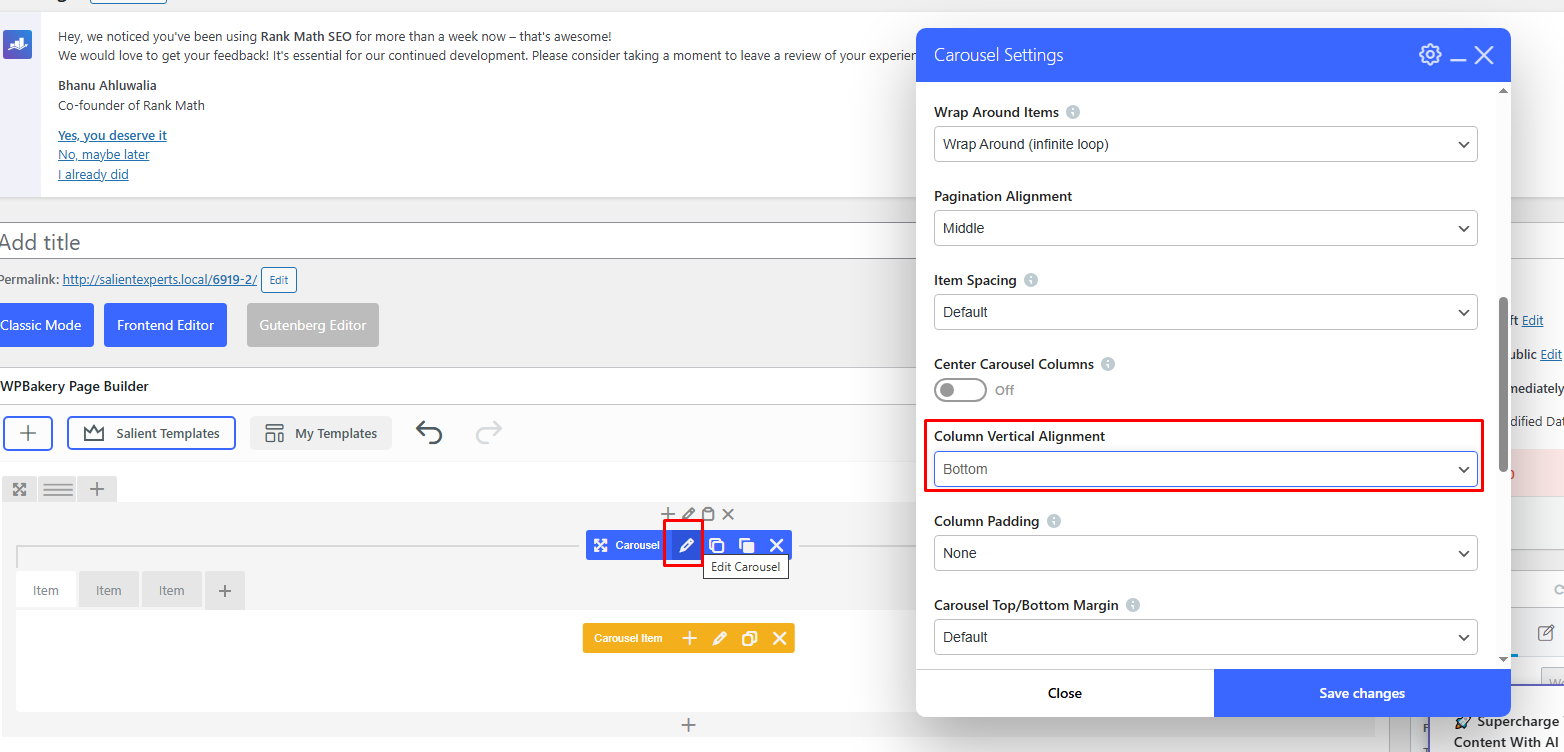
Best,
Salient Support Team
This fixed the button issue but then caused the images to be out of alignment.
Attached files: Screenshot 2025-12-26 at 12.16.12 PM.png
Add this into the Custom CSS box in your Salient Theme Options panel (We write all Custom CSS in the Live Browser to ensure accuracy. If you cannot see any changes, make sure there is no red cross in the Custom CSS Box as any syntax error would cause all CSS under that line of code to not show up on the Frontend):
.nectar-fancy-box[data-style=image_above_text_underline] .text p, .nectar-fancy-box[data-style=image_above_text_underline] .text>:nth-child(2) {
    min-height: 9em;
}
Thanks
Salient Support Team
That fixed it - thank you so much!