I am using your theme in the "portfolio-layered" style (btw - looks incredible) BUT i need something special...
I try to use the portfolio as a eventcalendar... so i create Projects in the portfolio with all infomation, media and text... so far so good. I will show 5 Items on the homepage in that layered style with pictures.... BUT i want another List styled element where more Projects (events) are shown with some content which i already filled in the portfolio ... I attach a screenshot what i mean... and i want to display name, date, type and cta in that list ... how can i do that? how can i display 1 custom content in several places ? can i somehow tag them or make it an element ?
and is it possible to add something like OWN Date that will allow the sorting of the projects by Eventdate and not the Date the project or event was created in wordpress....?
AND is it possible to add something like a filter that the events after the date was are not shown anymore ?
Add this into the Custom CSS box in your Salient Theme Options panel (We write all Custom CSS in the Live Browser to ensure accuracy. If you cannot see any changes, make sure there is no red cross in the Custom CSS Box as any syntax error would cause all CSS under that line of code to not show up on the Frontend):
AND another problem is i want to have the list to look like in my attached picture... i can make it like this with gap in px but its fixed .... what can i put there to be responsive ? and what to do to look good in portrait mode on smartphone ?
Hey,
I am using your theme in the "portfolio-layered" style (btw - looks incredible) BUT i need something special...
I try to use the portfolio as a eventcalendar... so i create Projects in the portfolio with all infomation, media and text... so far so good. I will show 5 Items on the homepage in that layered style with pictures.... BUT i want another List styled element where more Projects (events) are shown with some content which i already filled in the portfolio ... I attach a screenshot what i mean... and i want to display name, date, type and cta in that list ... how can i do that? how can i display 1 custom content in several places ? can i somehow tag them or make it an element ?
Attached files: Bildschirmfoto 2026-02-19 um 09.57.06.png
Bildschirmfoto 2026-02-19 um 09.56.26.png
Hi obedient_key534 ,
Thanks for reaching out! .
You can use the Custom Fields feature to add additional content to the Post Loop Builder"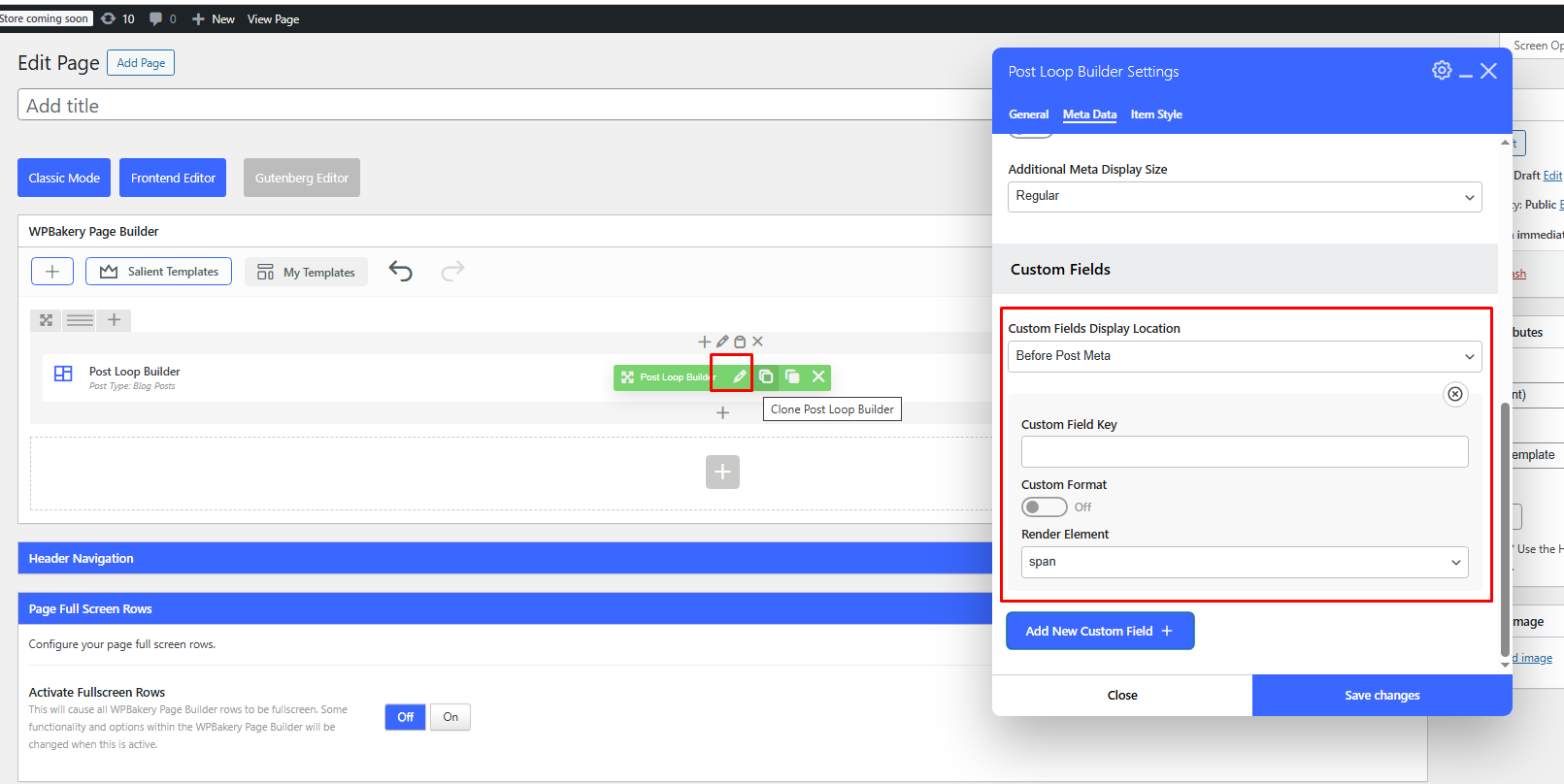
Best,
Salient Support Team
Ok - can ou give me more information about that and how thats working ?
and is it possible to add something like OWN Date that will allow the sorting of the projects by Eventdate and not the Date the project or event was created in wordpress....?
AND is it possible to add something like a filter that the events after the date was are not shown anymore ?
I am afraid its not possible via the existing Theme features but can be done using Custom Code edits and Third Party Filter Plugins.
Best
Salient Support Team
Ok the custom fields thing worked and is helpful...
But how can i change the look of this becuase all fields are horizontally layered one over the other i want them to be from left to right !?
Attached files: Bildschirmfoto 2026-02-19 um 10.36.16.png
Custom CSS would need to be used to customize it further. Let us know the page url if you need to help with the CSS.
Thanks
Salient Support Team
https://seven-bocholt.de/wordpress/
can you help with the css there ?
Add this into the Custom CSS box in your Salient Theme Options panel (We write all Custom CSS in the Live Browser to ensure accuracy. If you cannot see any changes, make sure there is no red cross in the Custom CSS Box as any syntax error would cause all CSS under that line of code to not show up on the Frontend):
.nectar-post-grid-item__custom-fields>:not(.inline){
    width:auto !important;
}
.nectar-post-grid-item__custom-fields {
    display: flex;
    flex-wrap: wrap;
    gap: 25px;
    margin-top: 10px;
    align-items: baseline;
    margin-right: 25px;
}
Thanks
Salient Support Team
ok this worked - thanks for that...
one last thing. how can the displayed name (EVENT 1) be in 1st place and after that right the custom fields ?
Attached files: Bildschirmfoto 2026-02-19 um 12.18.50.png
Try switching to After location and check: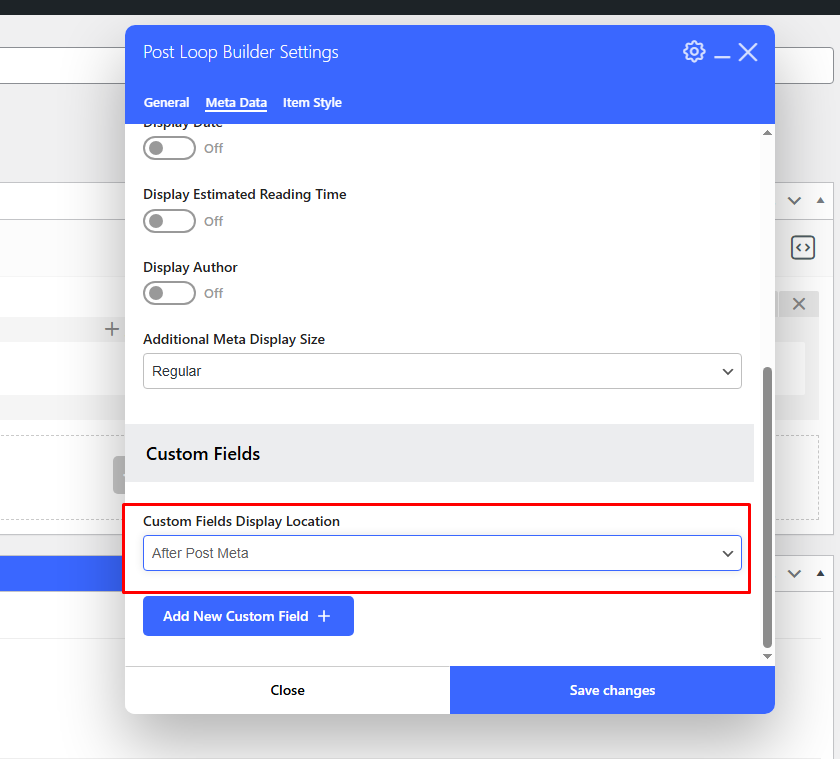
Salient Support Team
that does nothing..:-(
stays the same
AND another problem is i want to have the list to look like in my attached picture... i can make it like this with gap in px but its fixed .... what can i put there to be responsive ? and what to do to look good in portrait mode on smartphone ?
Attached files: Bildschirmfoto 2026-02-19 um 12.28.18.png
Bildschirmfoto 2026-02-19 um 12.29.34.png